Troubleshooting Online Gaming Connection Issues
Understanding why you can browse the internet but struggle with online gaming can be frustrating. This guide outlines potential causes and solutions, helping you regain your gaming experience. Various factors, from network settings to server issues, can interfere with your ability to connect.
Common Causes of Connection Issues
Connectivity problems while gaming can arise from several sources. Identifying these causes is crucial for effective troubleshooting. Common issues include network congestion, firewall settings, and port restrictions. Each factor can uniquely impact your gaming performance, so understanding them is essential. Network congestion occurs when multiple devices use the same connection, leading to reduced bandwidth for gaming. If your family is streaming videos or downloading large files, your gaming experience may suffer. Firewall settings, designed to protect your system, can sometimes block necessary gaming traffic. Lastly, port restrictions can prevent games from connecting to servers, leading to frustrating disconnections. To address these issues, it’s important to evaluate your network environment, check your firewall configurations, and understand the specific port requirements of the games you play. By troubleshooting these common causes, you can significantly improve your online gaming experience and reduce connectivity frustrations.
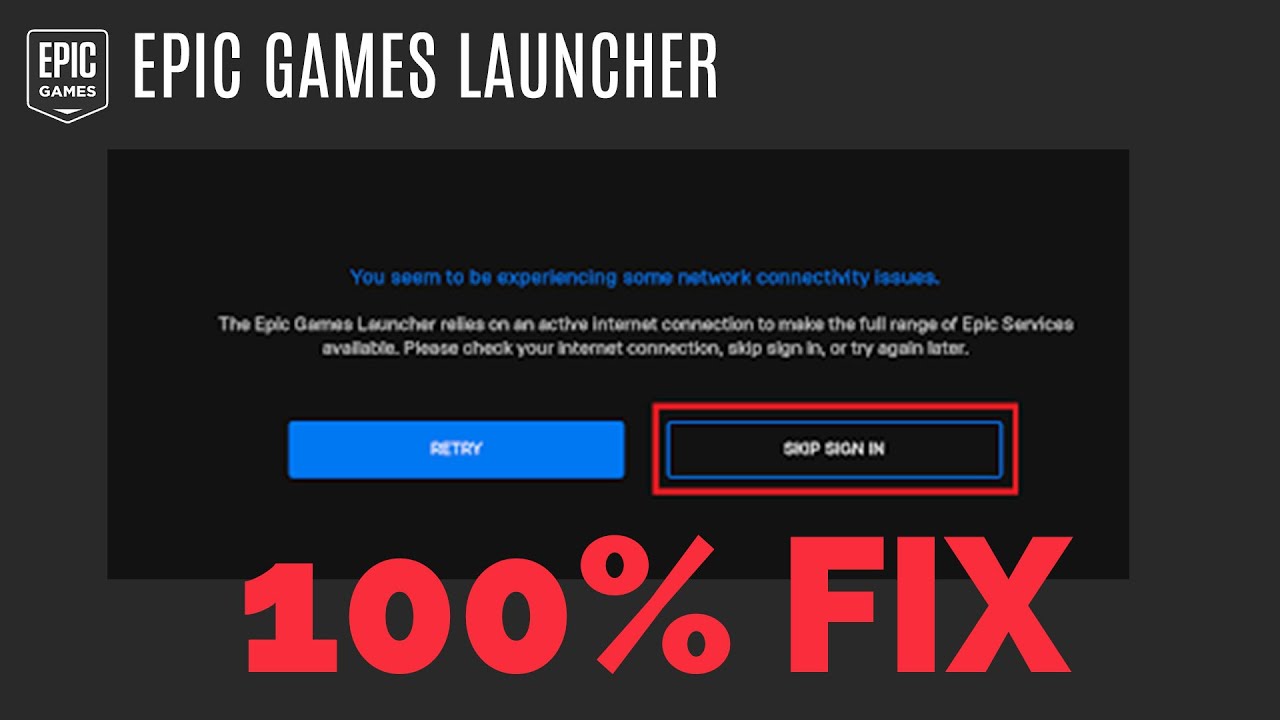
Network Issues
Network issues often stem from problems with your router or modem, and these can heavily impact your gaming performance. If your network is congested, it may affect both your speed and stability. High latency, often caused by the distance from game servers or insufficient bandwidth, can lead to lag, making gameplay frustrating. To combat this, checking your internet speed is essential. Visit a speed test website to assess your current download and upload speeds. A simple yet effective solution is to restart your modem or router. This can resolve temporary connectivity glitches and refresh your network connection. Additionally, consider minimizing the number of devices connected to your network while gaming. Disconnecting devices that aren’t in use can free up bandwidth and lead to a smoother gaming experience. If you consistently experience issues, consider using a wired connection instead of Wi-Fi. Ethernet connections provide a more stable and faster link to your router. If problems persist, you may need to contact your Internet Service Provider (ISP) to ensure there are no underlying issues affecting your connection.
Firewall Settings
Firewalls are essential for protecting your computer from malicious threats, but they can sometimes interfere with your online gaming experience. These security systems are designed to monitor incoming and outgoing traffic, which can lead to legitimate gaming connections being blocked. Adjusting your firewall settings is often necessary to allow your game to connect properly. When you launch a game for the first time, many firewalls will prompt you to permit internet access. If you accidentally denied this request, you may need to adjust your firewall settings manually. Access your firewall settings through the Control Panel on Windows or System Preferences on Mac. Look for the section that lists allowed applications and ensure your game is permitted. If you’re unsure about which settings to change, consult the documentation for your firewall or seek guidance from online forums. Additionally, consider temporarily disabling your firewall to see if it resolves connectivity issues. If this alleviates the problem, you may need to create specific rules that allow your game to communicate through the firewall without compromising your system’s security.
Port Forwarding
Some online games require specific ports to be open for a successful connection. If these ports are blocked, you may encounter difficulties connecting to game servers. This is where port forwarding comes into play. By configuring your router to forward certain ports to your gaming device, you can enhance your connectivity and overall gaming experience. Each game has different port requirements, which can usually be found in the game’s documentation or on the developer’s website. To set up port forwarding, you’ll need to log into your router’s web interface. Look for the section labeled “Port Forwarding” or “Virtual Server.” Here, you can enter the required port numbers and direct them to the IP address of your gaming device. Remember to save your settings and restart your router for the changes to take effect. Testing your connection afterward will help determine if the adjustments resolved your issues. If you’re uncomfortable with this process, consider looking for guides specific to your router model, or consult with someone who has experience in network configuration.
Software Conflicts
Certain applications can interfere with online gaming, leading to frustrating connection issues. Common culprits include Virtual Private Networks (VPNs), antivirus programs, and other security software. While these applications provide valuable protection, they may inadvertently block legitimate traffic required for gaming. To troubleshoot potential software conflicts, consider temporarily disabling any VPNs or antivirus programs while you attempt to connect to your game. If this resolves the issue, you may need to adjust the settings of your security software to allow your gaming applications through. Most antivirus programs have options to whitelist certain applications, ensuring they can operate without interference. If conflicts persist, explore alternative software solutions that are more gaming-friendly. Some antivirus programs are specifically designed for gamers, providing protection without impacting performance. Researching and selecting the right tools can significantly enhance your gaming experience while maintaining your system’s security.
Server Issues
Sometimes, connectivity problems stem from the game servers themselves. Server outages or maintenance can prevent players from connecting, leading to confusion and frustration. It’s important to stay informed about the status of the game servers you’re attempting to access. Checking the official website or forums for your game can provide valuable insights into server conditions. Many game developers maintain a status page that updates players on outages or scheduled maintenance. If the servers are down, there may be little you can do until they’re restored. In some cases, you may also experience lag or disconnects due to server overloads during peak times. If possible, try connecting during off-peak hours or switching to a different server if the game allows it. Staying informed about server status can help manage expectations and reduce frustration when connectivity issues arise.
Additional Troubleshooting Tips
If you continue to experience connection issues despite addressing the common causes, consider implementing additional troubleshooting tips. Switching from a wireless to a wired connection can sometimes make a significant difference in stability and speed. Ethernet connections are generally more reliable and can provide a better gaming experience. Contacting your Internet Service Provider (ISP) can also help identify any underlying issues affecting your connection. They can perform tests to check for line quality, bandwidth availability, and any potential outages in your area. Additionally, ensuring your game is updated to the latest version can resolve compatibility problems that might be causing connection issues. Regularly checking for updates can also help with bugs that may affect gameplay. Keeping your gaming software, drivers, and operating system current is essential for optimal performance. By remaining proactive with these updates, you can enhance your gaming experience and minimize interruptions.
Conclusion
Connection issues while gaming can arise from various factors, but understanding these can help you troubleshoot effectively. By checking network settings, firewall configurations, and server statuses, you can enhance your online gaming experience. Remember to keep your software updated and consult your ISP if problems persist. With the right knowledge and tools, you can resolve many common connectivity issues and enjoy a seamless gaming experience. Whether you’re a casual gamer or a competitive player, maintaining a stable connection is vital for fully enjoying your favorite games. Embrace these troubleshooting techniques, and take control of your gaming experience today!